Skip to content
Get Pro for $9.99 your first month. Get Pro
ExamLive

Releases

Every release of ExamLive, newest first.

September 16, 2026v1.6.1

Questions can carry a default explanation shown to participants when no feedback is written.

What's new

  • Add an optional Explanation to any question; participants see it on their result page when no custom feedback is written during grading.
  • Grading feedback falls back to the question's explanation when left empty, so common answers don't need repeating.
  • The AI assistant reuses the question explanation instead of writing repetitive feedback for each graded answer.
September 13, 2026v1.6.0

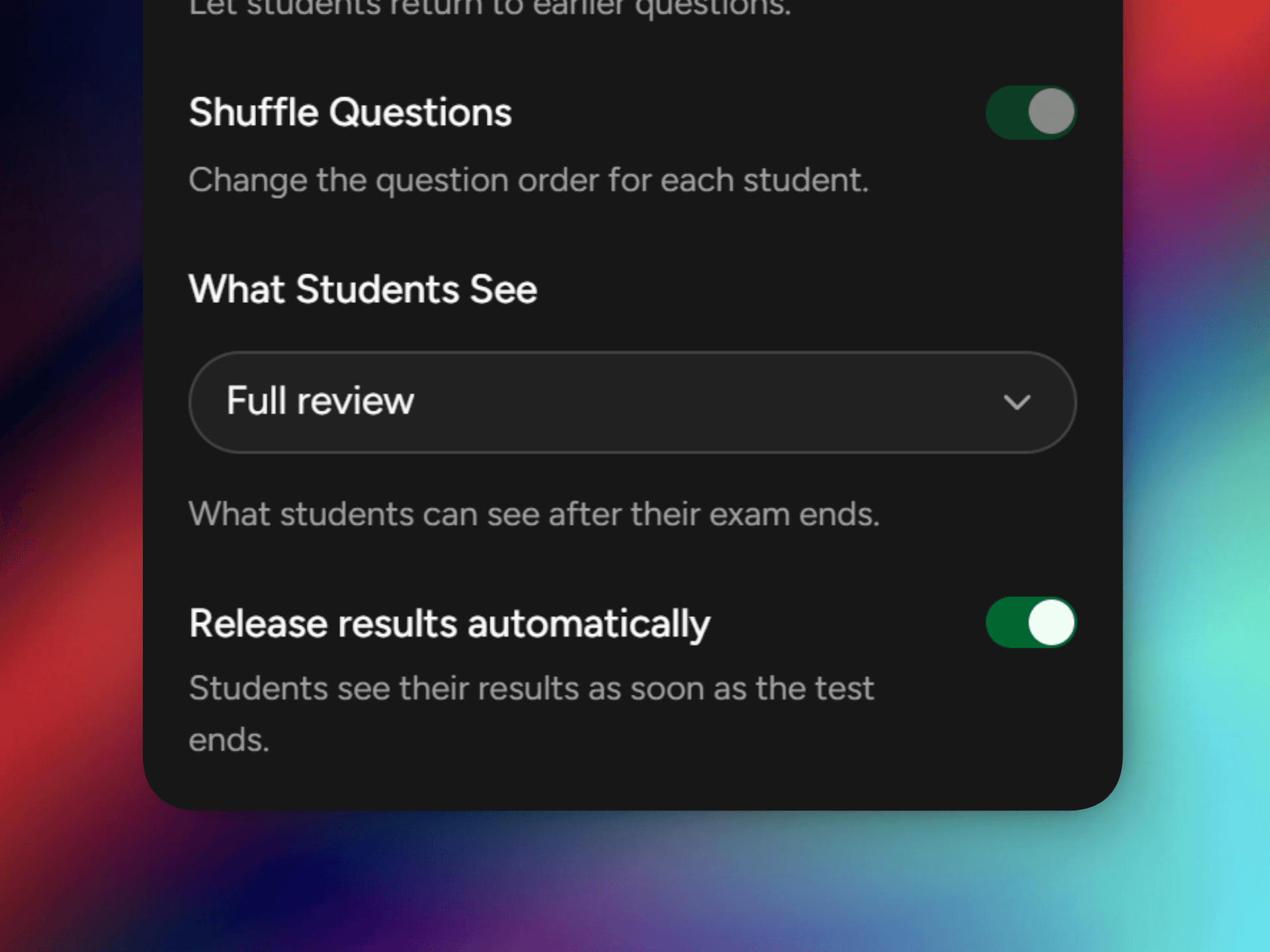
Release results automatically when a test ends.

What's new

  • Results publish themselves the moment a test ends, no need to release them by hand.
  • New tests auto-release results by default, and you can switch it off per test whenever you like.
  • Auto-release works with Score only and Full review, and still publishes nothing when results are set to Don't show results.
  • Set what people can see and when results go out as two separate choices, in Edit testSettingsExperience.

September 8, 2026v1.5.0

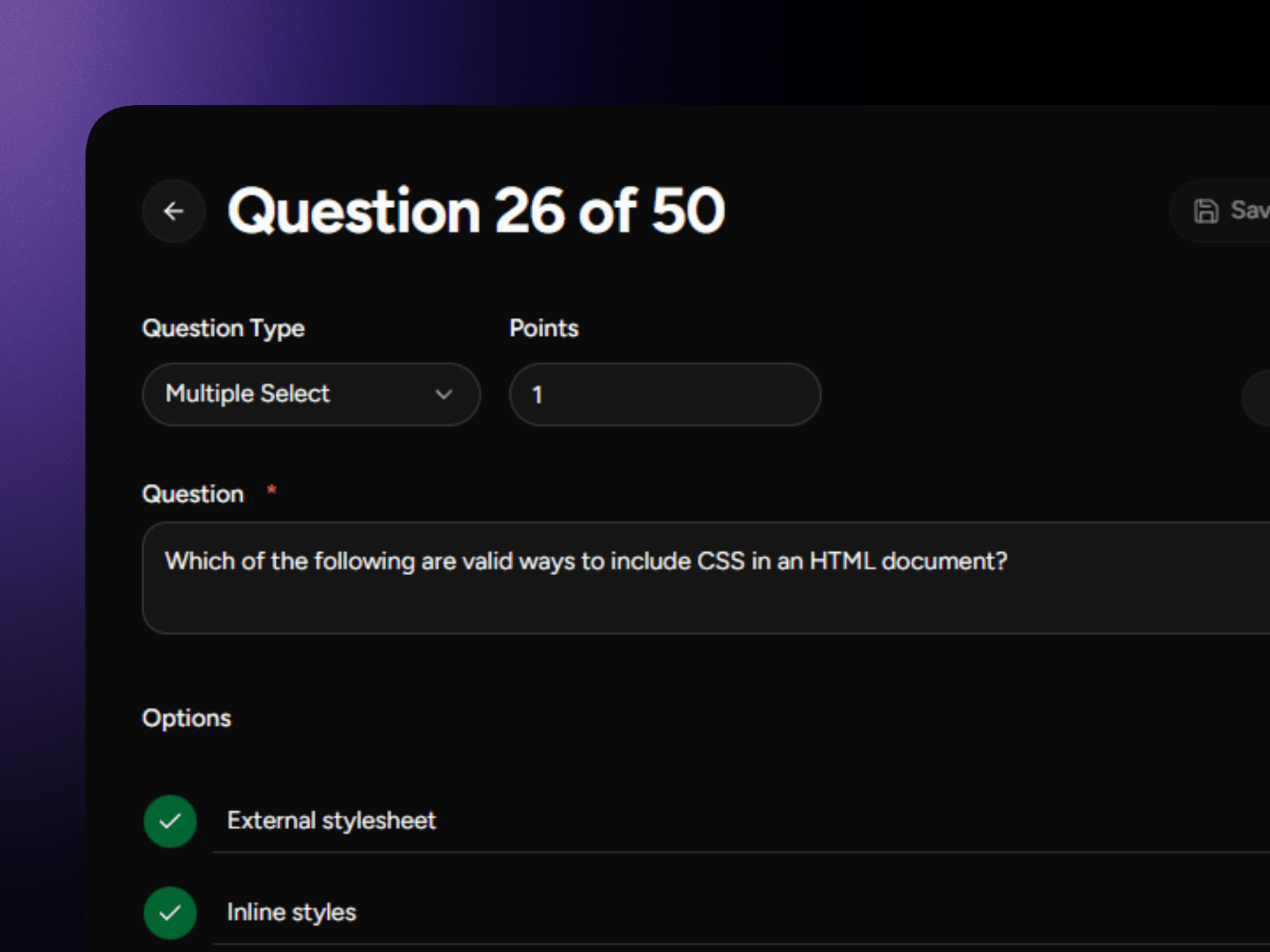
New Multiple Select question type with partial credit grading.

What's new

  • Multiple Select question type: participants pick every correct answer from the options you provide.
  • Partial credit scoring, partially correct selections earn points, wrong picks carry a small penalty.
  • Mark multiple correct answers when creating a question; the editor, CSV import, and AI all support it.

Improvements

  • Short answer questions no longer require an answer key, they require user review or AI grading.
  • New questions append at the end of the list instead of slotting in by creation order.

September 2, 2026v1.4.1

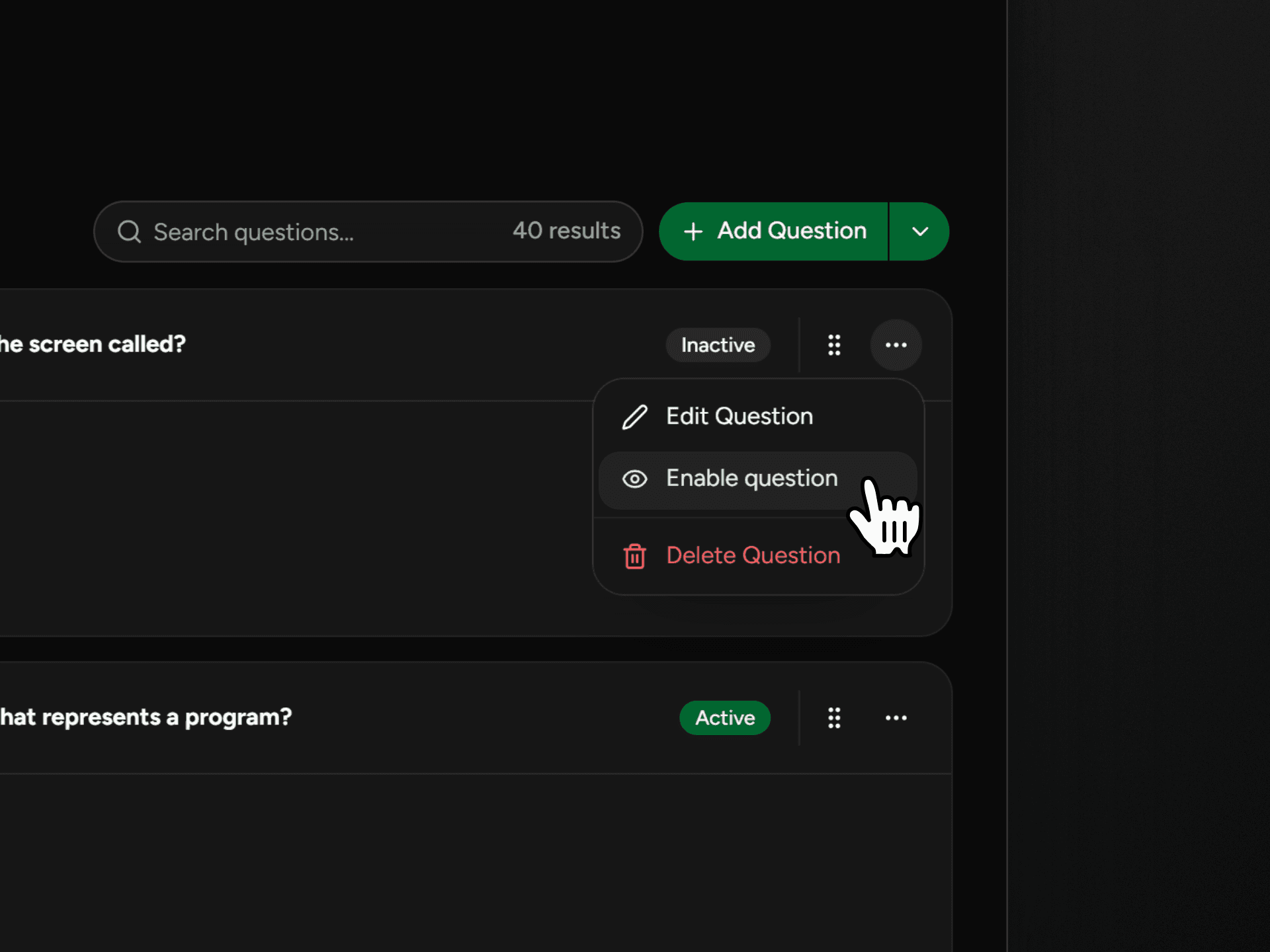
Enable or disable individual questions, filter by status, and sort your question list.

What's new

  • Toggle questions active or inactive without deleting them, disabled questions are hidden from participants.
  • Filter the question list by All, Active, or Inactive status.
  • Sort questions by manual order, newest, oldest, or alphabetical.
  • Bulk enable or disable multiple questions at once from the selection toolbar.

August 31, 2026v1.4.0

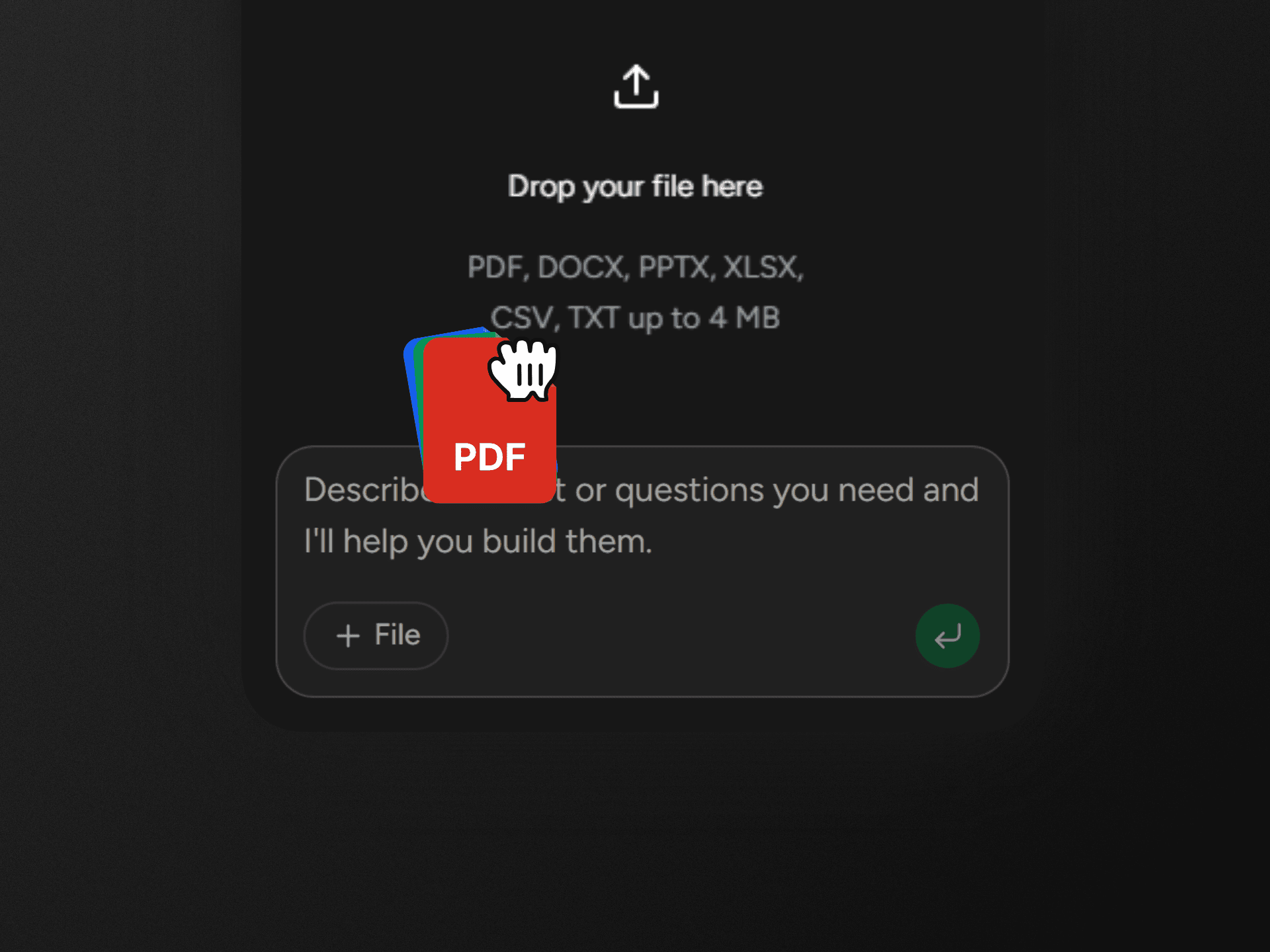
Build tests from files and publish results with the AI, and the page updates automatically.

What's new

  • Attach a PDF, DOCX, PPTX, XLSX, CSV, or TXT file to the AI chat and it can read the content to help build your exam.
  • The AI can create and update exams, grade submissions, and publish or unpublish results right from the chat.
  • When the AI changes data, your page updates itself automatically. No manual reload needed.

Improvements

  • If you have unsaved edits, auto-refresh pauses and shows a Refresh prompt instead, so your work is never overwritten.
  • Files that can't be read now show a clear message instead of a raw error.
  • PDFs that are image scans, or fail to load, are explained so you know why nothing was extracted.

August 25, 2026v1.3.0

Install ExamLive as an app with faster loads, notifications, and quick actions.

What's new

  • Install ExamLive as an app straight from the sidebar, with step-by-step guidance for iPhone, Android, and desktop browsers.
  • Installed apps get faster loading, push notifications, notification badges, and quick actions.

Improvements

  • Android detects an already-installed app and hides the install prompt automatically.
  • Dismissing the install card keeps it hidden across sessions; installing dismisses it instantly.

August 24, 2026v1.2.1

New Guides hub with step-by-step tutorials and built-in search.

What's new

  • A new Guides section with step-by-step tutorials covering creating, grading, and monitoring tests.
  • Search across all guides to find the answer you need in seconds.
  • Guides are organized by category so beginners and power users can both find their level.

August 16, 2026v1.2.0

Never-show results, faster submissions, smarter AI exam building.

What's new

  • Set results to never show and students won't see a View Result option, their score, or a result notification.
  • The AI exam builder now asks how many questions and which question formats to use before generating.
  • Result reviews show the correct answer next to short-answer responses and match multiple-choice answers more accurately.

Improvements

  • The Submissions count in the sidebar updates immediately after you publish or unpublish a result.
  • The submissions page loads faster when there are no exams yet.

August 8, 2026v1.1.0

Shareable exams, drag-and-drop, faster groups.

What's new

  • Share an exam link or QR code so students can join a published exam.
  • Drag-and-drop to reorder answer options when editing a question.
  • Select and delete multiple questions at once from the question list.

Improvements

  • Group assignment now loads faster with searchable, paginated member lists.

August 3, 2026v1.0.0

Faster dashboard, auto-saved answers, instant grades.

What's new

  • Faster student dashboard with search and status filters.
  • Full-screen states for fullscreen requirements, lost connections, and locked sessions.
  • Results now preview your exam's result view: score only or full review, set in Edit testSettingsExperienceWhen Results Are Shown

Improvements

  • Exam cards show “Continue to exam” or “Setup & start” based on your session.
  • Grades and score details now show in the student dashboard.

Reliability

  • Answers auto-save; dropped connections show “Connection Lost” and resume on reconnect.

We use cookies to maintain your session and analyze traffic. Essential cookies (authentication, security) are required and cannot be disabled. Analytics cookies are optional and only set with your consent. See our Cookie Policy for details.